
In this article, we will walk you through how to find your entire billing history inside your StudioHub account.
Here’s how:
1. Log in to your StudioHub account.
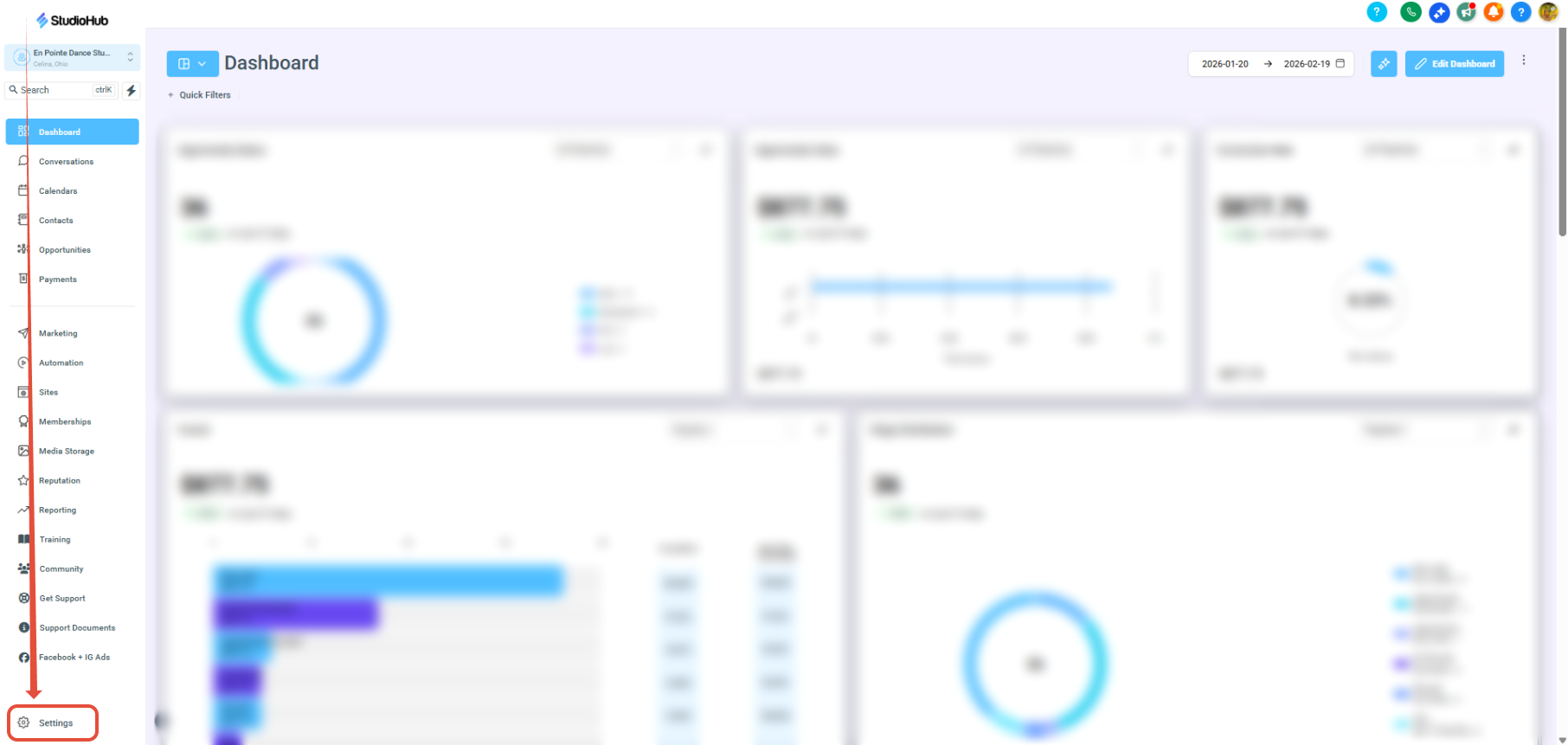
2. Click Settings in the left-hand menu.
3. Select Billing
4. Click Payments
5. Open Invoices
6. Click View to view the selected invoice
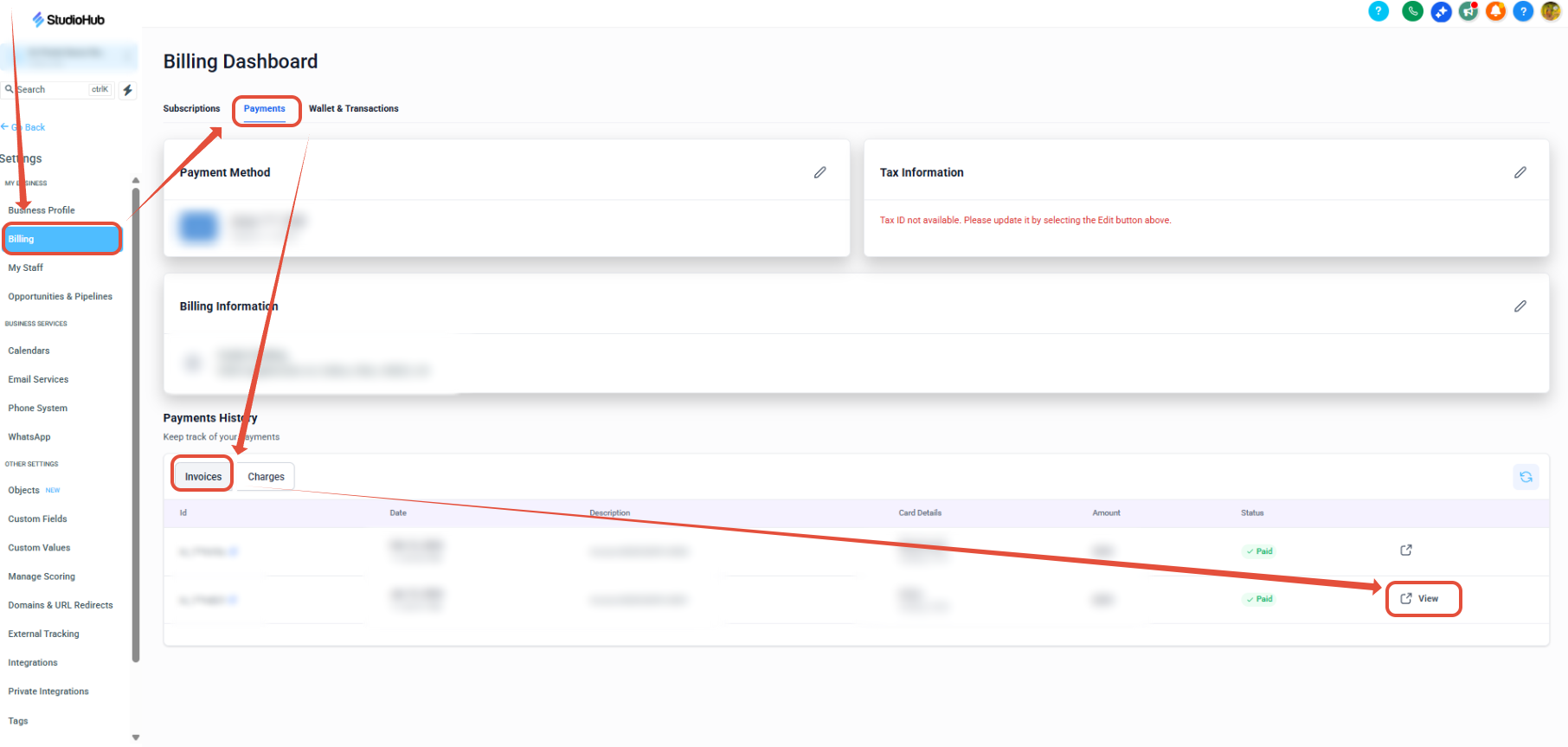
The Invoice will open in a new tab and prompt you to save it.
If you have questions or need any help, please email us at support@getmorestudents.com