
Here's how to block a contact in StudioHub
Method 1:
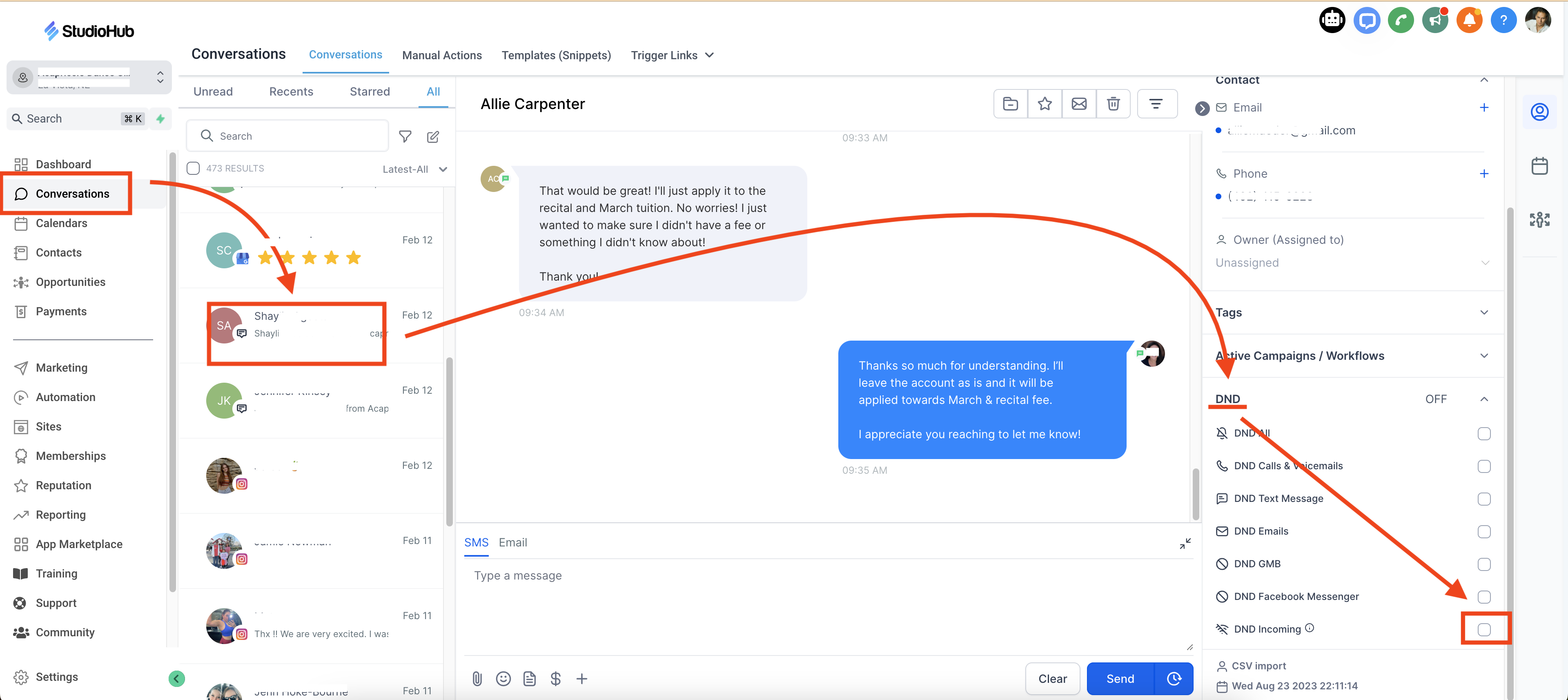
- Go to conversations
- Find the contact that you would like to block
- On the right hand panel, scroll to "DND"
- Check the box "DND Incoming"
Method 2:
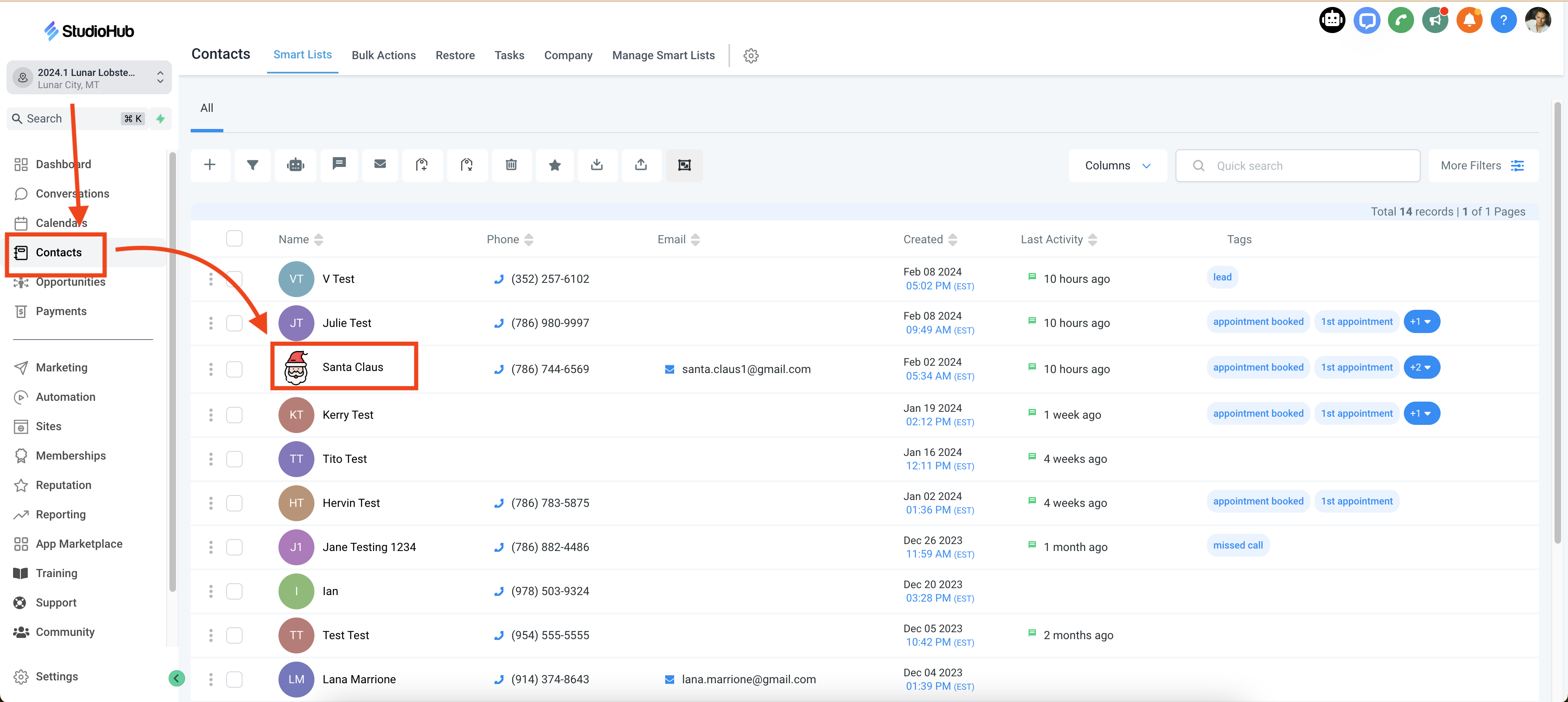
- Go to "Contacts"
- Find the contact that you would like to block
- Click on their contact
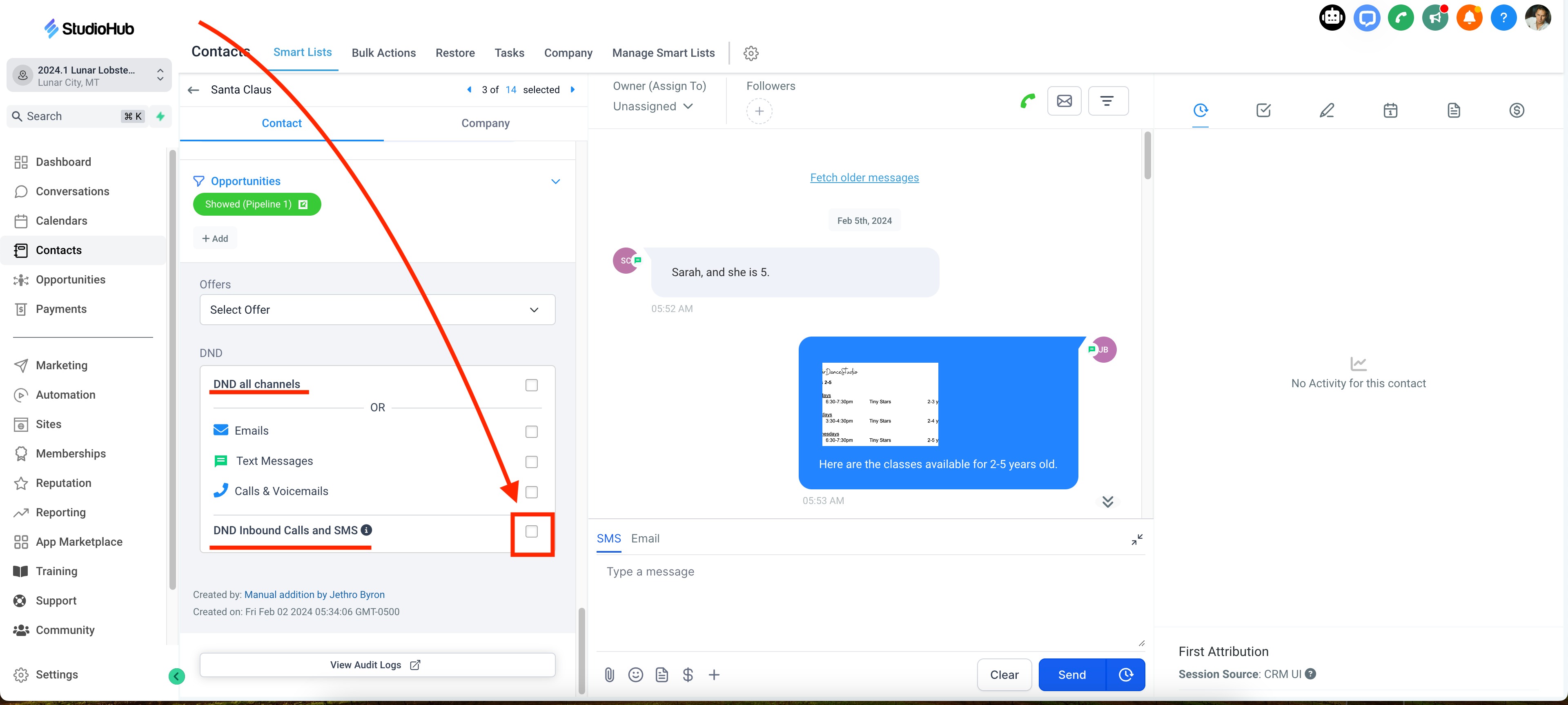
- Scroll down to the DND section
- Check the box "DND Inbound Calls and SMS"
That's how you block a contact!